Model 1: Tutorial shape
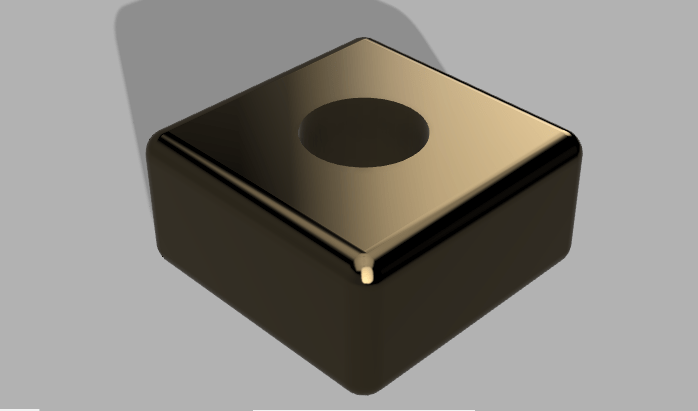
This shape was very easy to complete since there was a tutorial with step-by-step directions. Completing this shape was a good introduction to learn about this particular software and the features of the software.
Model 2: Lampshade


The lamp shade was a good introduction on using the revolve feature on fusion 360. I liked making this object because I had more creativity on making it and did not have to follow a set tutorial in order to achieve this outcome. It also helped me familiarize with the spline tool which proved to be useful for the bowler hat. I had to make my shape twice because the first time it did not really resemble a lamp shade and I wanted to make mines as close as to a lamp I have in my house. I also liked that I was able to play around the with the appearance function and change the fabric of the shade.
Model 3: The flask

Making the flask was one of the hardest shapes due to the different components and the exact measurements that had to be perfected when sketching out the object. Although I thought this object would be easy to make since we did it on Tinker-cad, I was severely mistaken. It took me a couple of attempts to make this object because when trying to revolve the flask, the lines that I made did not connect and it did not let me revolve only the sides of the flask. Also, once I revolved the glass component of the flask, it took me a couple of attempts to edit the sketch. I had to make sure the lines were precise in order for it to actually look like a flask. This object was also useful in figuring out how to use the fillet tool. I got lost in class trying to make the shape so I attempted it in a variety of ways until it turned into a decent looking flask.
Model 4: Bowler Hat
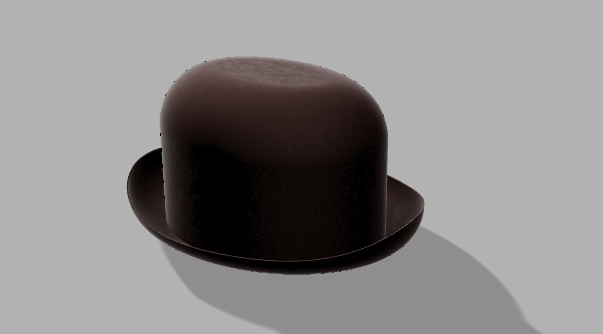

If I thought the bowler hat was hard I was in for a surprise. Completing model 4 was the hardest of all the models due to the lack of instructions or guidelines on how to complete the bowler hat. Although doing the object on Tinker-cad did help me prepare for creating the object on Fusion 360, it was much more difficult because there was was no set way on designing the model. It involved using a variety of features, what helped the most was uploading a picture of a bowler hat from google to get an idea on how to measure my hat, and knowing what height to give it. Uploading the canvas allowed me to measure the proportions to make it look relatively similar to a bowler hat.
Overall I am so glad to be done using this software. This software was a little less complicated than Fusion 360 because i was able to manipulate the object more to my desire. For example on tinker cad there was not much I can do to change up the object. What I liked about Fusion 360 was that I could render the object to make it look more life-like. This software also lets you show or hide either the body or sketch, allowing me to be more efficient when creating my object. The canvas feature was also very helpful in getting my object to look as close as the object I wanted to create.

 Ezequiel's Marketing Portfolio