Part A
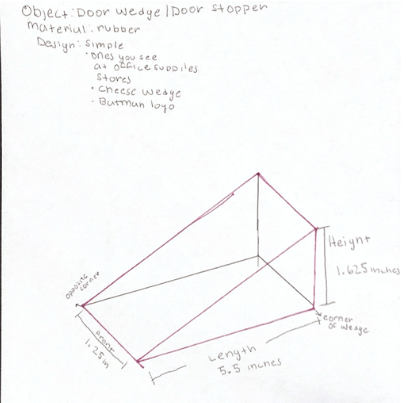
The object I am making is a door wedge/ door stopper utilizing various designs.

This was the first door stopper that I attempted to make. This one was fairly simple to make and did not take that much effort. I decided to make this door stopper in this particular shape because I wanted to make my name extruded and fully visible when it was wedged under the door. When the wedge is put under the door on the side, my name is fully visible. I also utilized a soft rubber material because that is what is most commonly used when making door wedges.
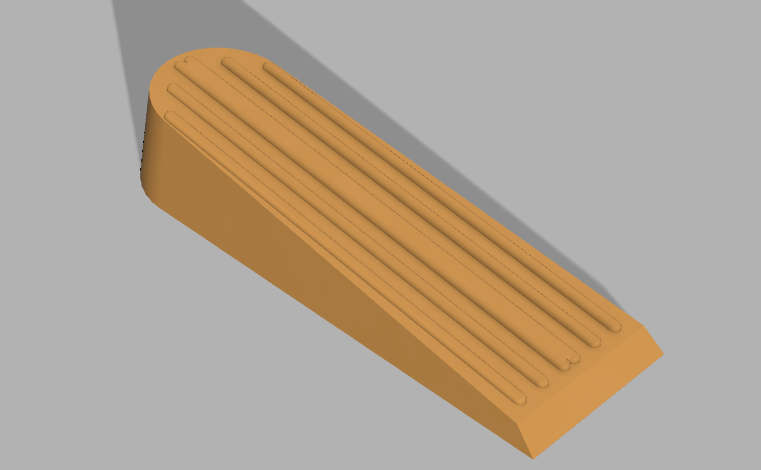
When making door wedges I decided to make one that is most commonly sold at office utilities stores or hardware places. Instead of buying one at my local hardware store, I decided to make a door wedge that resembles one that I would be able to buy. The only difficult part of making this wedge was making the textures on the top of the wedge and it included making very precise measurements so they would line up accordingly. I am pretty happy with this design because it relatively came out how I wanted it to.

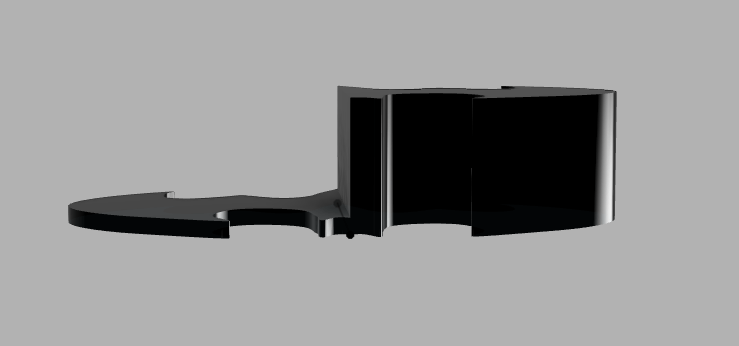
For this door stopper I wanted to get a little creative with the design and try something that does not resemble a typical door stopper but would still serve its purpose as one. Since I am a fan of batman I decided to import a picture of the batman logo through the canvas feature that we learned how to utilize when making the bowler hat on Fusion 360. I then utilized the spline feature to outline half the shape of the logo and then mirror the other half so it would come out symmetrical when rendered. At first I tried to make the designed wedged, utilizing the draft feature so the logo would incline but it kept saying error when I tried to do it. Since the draft feature would not work I decided to take a different approach. I extruded the object so the smaller half of the object would be positioned under the door and the larger side would stop the door from moving.
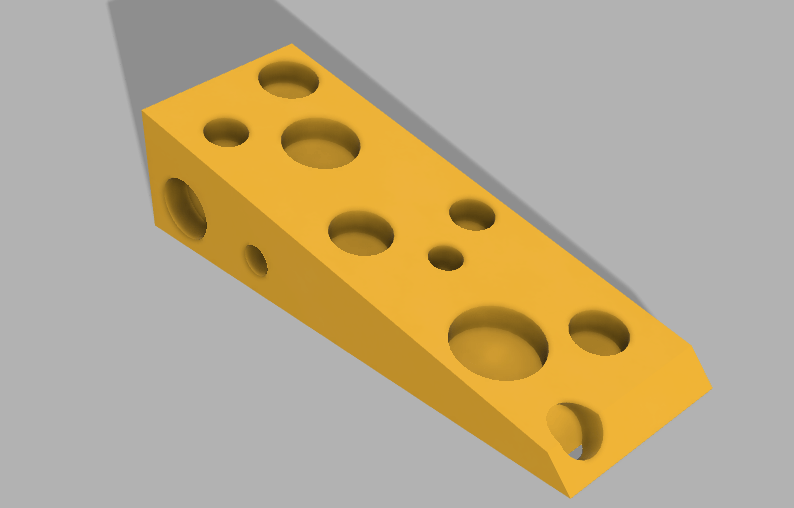
The last design that I wanted to make was a “cheesy” door wedge. I made a typical wedge, drafted one of the faces, and extruded holes on all the surfaces so that it could resemble a cheese wedge. I made a door wedge that I would most likely to physically print due to its fun design.
For all of these objects I utilized the Fusion 360 software so I could render the object and change its appearance. Through this assignment I was able to learn more about the different features that the software has to offer and that we have not utilized in the past (such as the draft, mirror, and fillet feature). Although I consider myself to be one of the “struggle bus students” I tried my hardest on this assignment and made objects that I would like to print in the future. One of the hardest parts of making the objects was making each shape with the correct measurements so it could print correctly and would be able to function properly. I had most difficulty making the batman logo door stopper because I was not able to use the draft feature properly. Figuring out the measurements for my object and making them precise on the software was also very time consuming and frustrating.
Part B


 Ezequiel's Marketing Portfolio